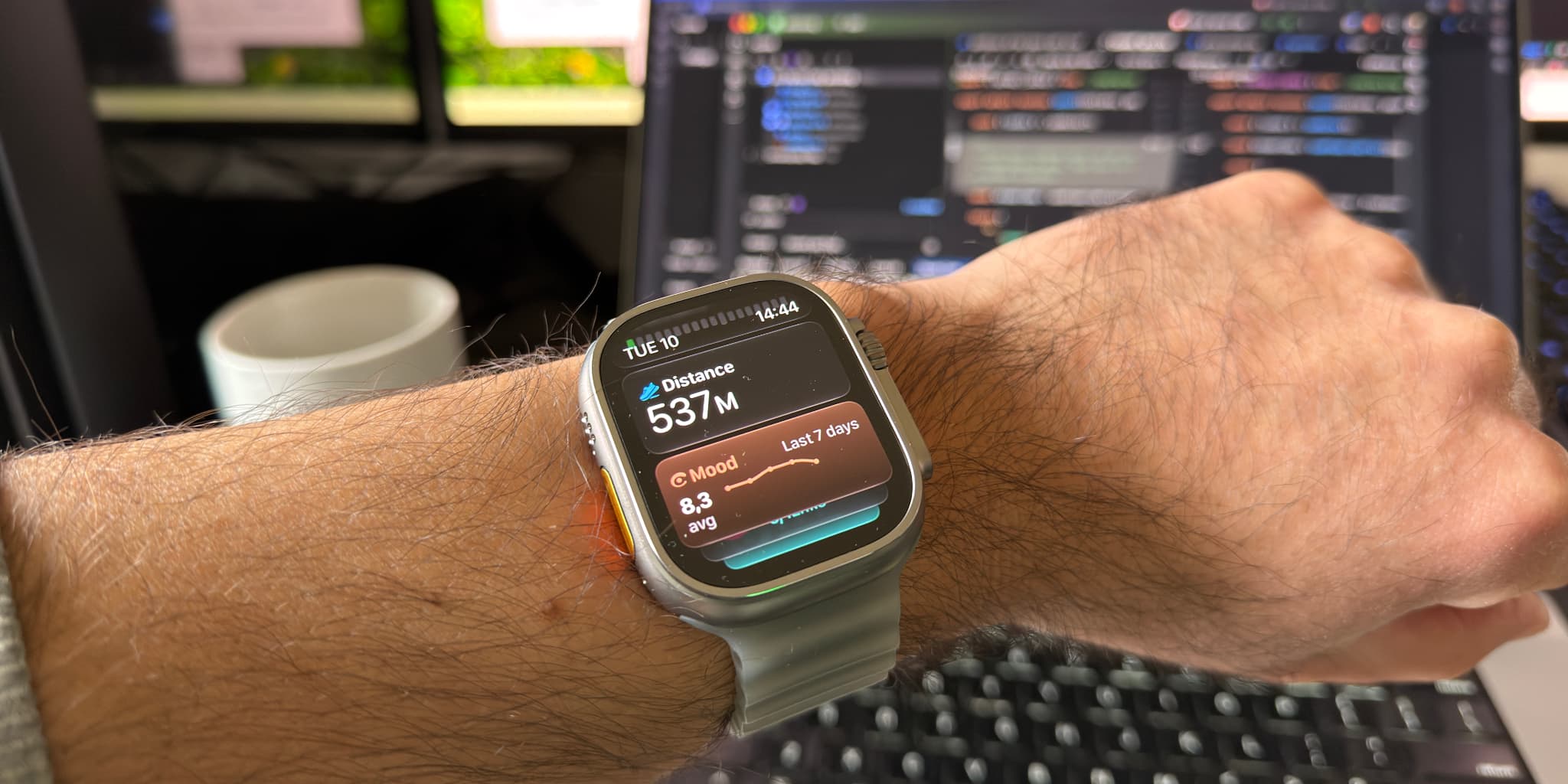
Apple Watch Ultra 4 review: a developer's upgrade from the Ultra 1
TL;DR: Coming from the original Apple Watch Ultra, the Ultra 4 is worth it for three things: battery life that went from about a day and a half to about three days in my use, an S11 chip that makes everything feel instant, and a heart rate sensor that loses track far less often. The brighter display and slimmer bezels barely registered. If your Watch already runs watchOS 27 and you don't care about the new health features, you can skip this one.
I have been wearing an Apple Watch since the very first model came out in 2015. I even had it imported, because it was not sold in the Netherlands, where I live, at launch. I was hooked from day one, although that first model definitely had its limitations. The biggest one turned out to be the speed of the chip. Frankly, it felt sluggish almost from the off. But it was fun to see the first apps appear and to have a computer on my wrist. In flashes I saw the potential: a device that delivers value in my life silently, and gets out of the way the rest of the time.
But this is not about the past. This is an Apple Watch Ultra 4 review from an actual user and a developer. It is not a lab test or a rundown of the spec sheet. There are plenty of those, and most are written about devices on loan. I buy these watches with my own money, to run my business and to develop apps for them. Before we get to the Ultra 4, I want to briefly share how I got on with my previous Apple Watches.
From the first Apple Watch to the Ultra 4
My Apple Watch history goes like this:
Apple Watch (2015) → Apple Watch Series 3 (LTE) → Apple Watch Ultra → Apple Watch Ultra 4
I upgraded from the original, the "Series 0", to the Series 3 mainly because the original had become slow and I wanted LTE.
Fun fact: it took years before I could actually use LTE on my Series 3. eSIM for the Apple Watch was not available in my country until about halfway through the Series 6 era.
Once it finally arrived, I turned it on and could use the Watch as my primary device outdoors. I still use it that way: to leave my phone at home while I exercise, and to take phone calls. The tech felt amazing, but by then the Series 3 had started to feel very slow. In hindsight, the Series 4 that came a year later was the one to get. It had the better design and additional health sensors.
The Series 3 also developed serious battery issues. I could barely make it through the day, especially with a workout. It was time for a change. I wanted to buy the Series 7, but held out for another year. A year in which I barely wore the Watch, to be honest. It had gotten so bad that I no longer got any value out of it.
So after taking it as far as I could, I upgraded to the Apple Watch Ultra in 2022. A new form factor, and it fixed my major complaint: battery life. It felt zippy as well. That Watch has served me extremely well. It was the point where I felt the tech had fully matured. I love the flat screen, the titanium design and the bigger case, which also brought better microphones, a bigger battery and better speakers.
Why I upgraded from the original Ultra to the Ultra 4
So why did I upgrade to the Apple Watch Ultra 4? It's complicated. For the first time, I did not upgrade because the Watch I had was severely lacking. I upgraded because Apple dropped the original Ultra from watchOS 27, so I could no longer run the new operating system. For an app developer that is a problem. I build the Apple Watch app for Luci, my mood tracker, and I can't properly test it on a new watchOS without a Watch that runs it.
Having access to the latest operating system is crucial for app development.
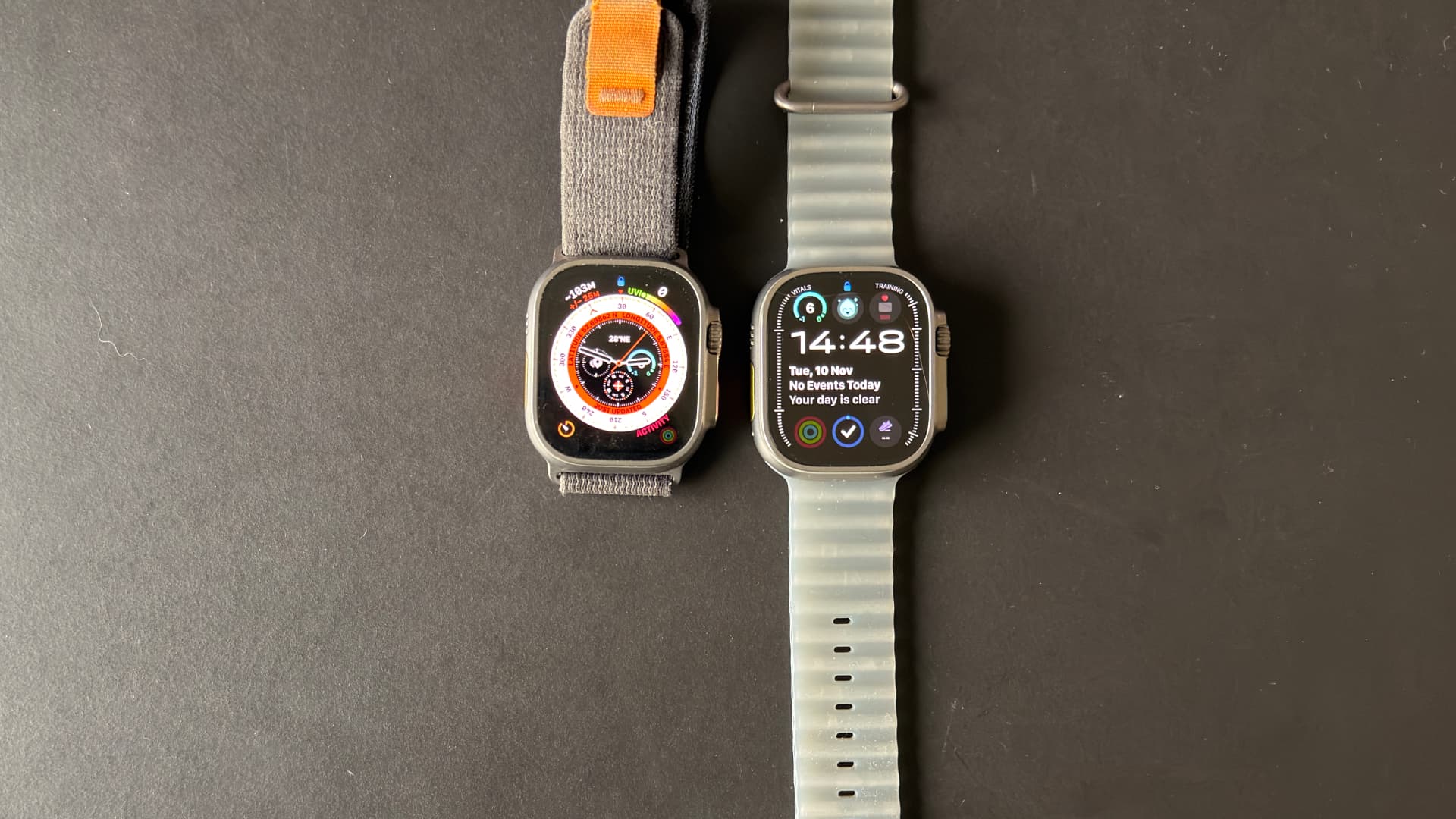
To be honest, it set me back quite a bit. But here I am, parting with my money for a new Apple Watch that looks exactly like my old one. It reminds me of that meme: "They're the same picture."
Why the chip matters more than anything else
Despite feeling forced to upgrade, I have to admit that this new Watch feels like a real upgrade. I know it won't look exciting to many people, but I think they are wrong, and I think history backs me up. A few Apple Watches have stood the test of time better than the rest, and they have something in common:
- Apple Watch Series 4: new chip, new design, new health sensors
- Apple Watch Series 6: new chip, new health sensors
- Apple Watch Series 9 and Ultra 2: new chip
This is just my opinion, but let me explain. The models in between had nice changes too, but they did not bring meaningful longevity for how most people use the Watch. The Series 5 brought the always-on display. Arguably extremely important, but that model did not last much longer than the one before it, and the battery took a big hit for it. The Series 6 that followed got a sensible speed boost, and blood oxygen.
The Series 7 got a new design, and I do admit it was a better-looking watch. Functionally it did not move the needle. The Series 8 was an especially downbeat upgrade. It barely brought anything new apart from crash detection and the wrist temperature sensor, which frankly is cool. That was also the year I got my Ultra, and in retrospect we got just four years of software support out of it. Below Apple's average.
That is because the Series 9 was the better deal: a new chip, a gesture to control the Watch without touching it, better battery life thanks to that chip, and later on detection for sleep apnea, which is actually a silent killer.
It's the chip and the algorithms that make the difference.
Looking back at these models, I strongly believe the chip is the Apple Watch's biggest differentiator. It decides a lot in daily life:
- How the Watch feels: animations, loading times and so on
- The battery life: capacity is limited by the size of the case, so efficiency wins
- Which algorithms it can run: can it detect sleep apnea, recognise a doorbell, and so on
So far the Apple Watch has received a genuinely new chip roughly every two to three years. Each model that came without one largely supported the same features as its predecessor, or saw its features backported to the previous models.
That is no guarantee it will keep working this way, but throughout my life as an Apple Watch owner the chip has mattered more than anything else. Then again, I am also very sensitive to dropped frames in animations and to loading spinners.
Apple Watch Ultra 4 vs Ultra 1: what changed
The Apple Watch Ultra 4 has quite a list of upgrades compared to the original Ultra:
- A brighter display: 3,000 nits at its peak, up from 2,000
- An always-on display that dims all the way down to 1 nit and still shows a ticking seconds hand
- Always-on listening, for things like Shazam and AI recaps
- A bigger display with slimmer bezels
- The S11 chip, two real generations ahead of the chip in my original Ultra
- A bigger battery
- A new health sensor array that measures roughly every five seconds
- Software features that the S11 makes possible: more health algorithms, audio through the speaker and so on
Not all of this is new to the Ultra 4 itself. The brighter display arrived with the Ultra 2 and the slimmer bezels with the Ultra 3. But coming from the first Ultra, you get it all at once. And I noticed some of these upgrades a lot more than others.
What I barely noticed: brightness, display and bezels
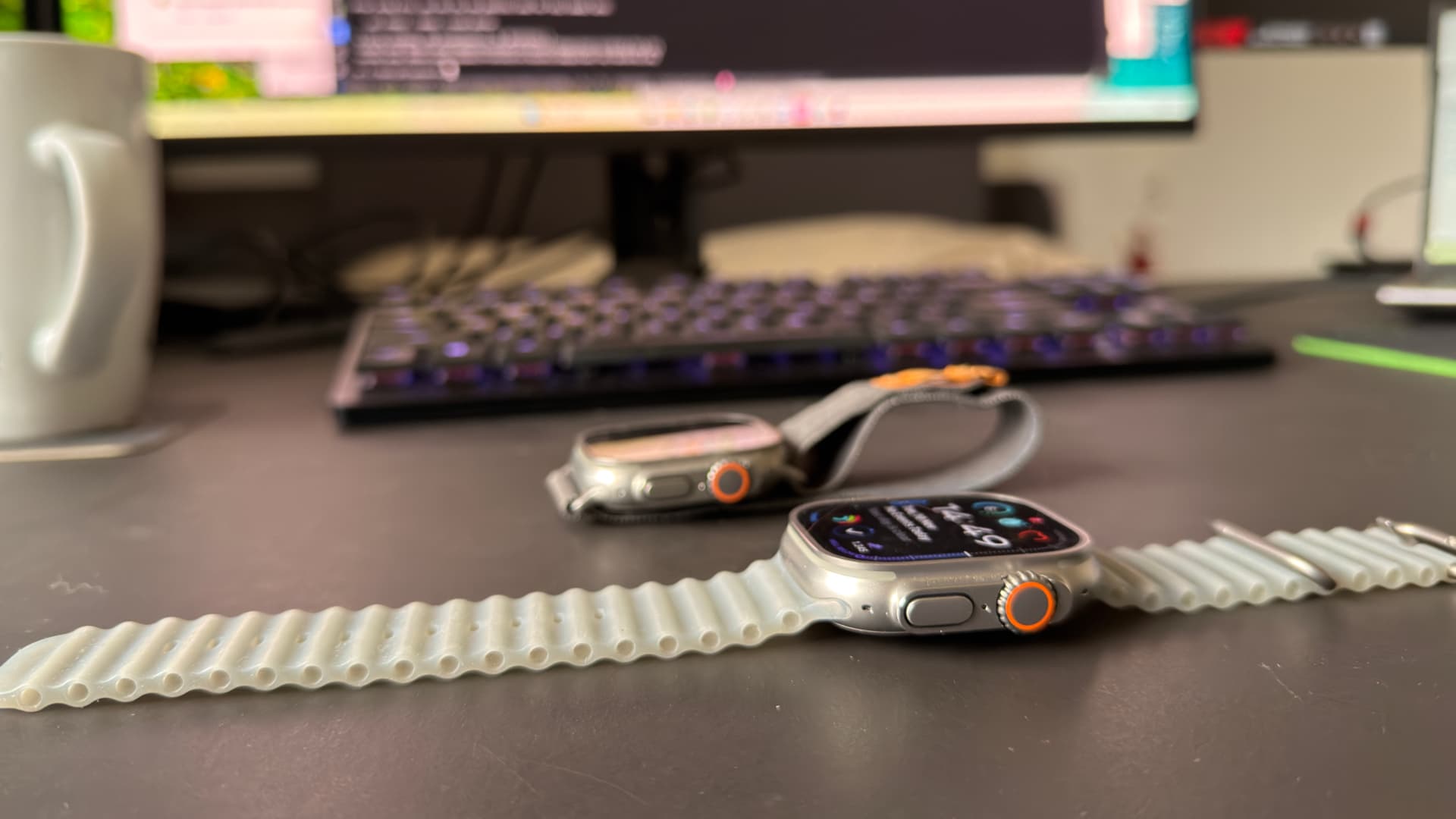
The brightness has not made any meaningful impact on my life. Yes, I use the flashlight a lot, especially when I need to find the light switch or a lost sock in complete darkness. Now I can turn on the flashlight and twist the Digital Crown to unleash the full 3,000 nits. It is brighter, but not that much more useful. And the Watch can only keep that brightness up for a limited time before it falls back to its normal level. Kind of like my running performance.
The new OLED display with its wider viewing angles did not impress me much either. I can see the difference when I hold both models side by side, but I never felt the old display was lacking. The slimmer bezels are hard to notice too. The display does not fit any more data than before, and the bezels are definitely still there. I would have loved a display that runs all the way to the edge. I am sure that will come at some point.
What I did notice: a Watch that listens along
The always-on listening, however, has proven useful to me. I love watching movies and series, and being able to instantly see which song was playing in the background is very cool. I love the idea of complementing our biological senses with tech, so we can keep our focus on the things that matter. This feature just runs in the background and can deliver value at any moment. No thinking required on my part.
A note for buyers in Europe: some of the new always-on listening features and the new AI Siri are not available here. I bought the Watch expecting them never to arrive. I would advise against buying a product on the promise of what it can be tomorrow, especially when EU regulations are involved.
The S11 chip and the new heart rate sensor
The big-ticket items really are the S11 chip and the sensor array. I stressed earlier that the chip is largely responsible for the battery improvements too. I will park that for a moment and come back to it below.
The chip itself feels amazing. Skipping two generations is noticeable. Animations are smoother and apps load near instantly. It makes the Watch a joy to use, even when you navigate a more convoluted UI to find an audiobook, or scroll through long pages of content. It does not slow down or drop frames the way the Ultra 1 did.
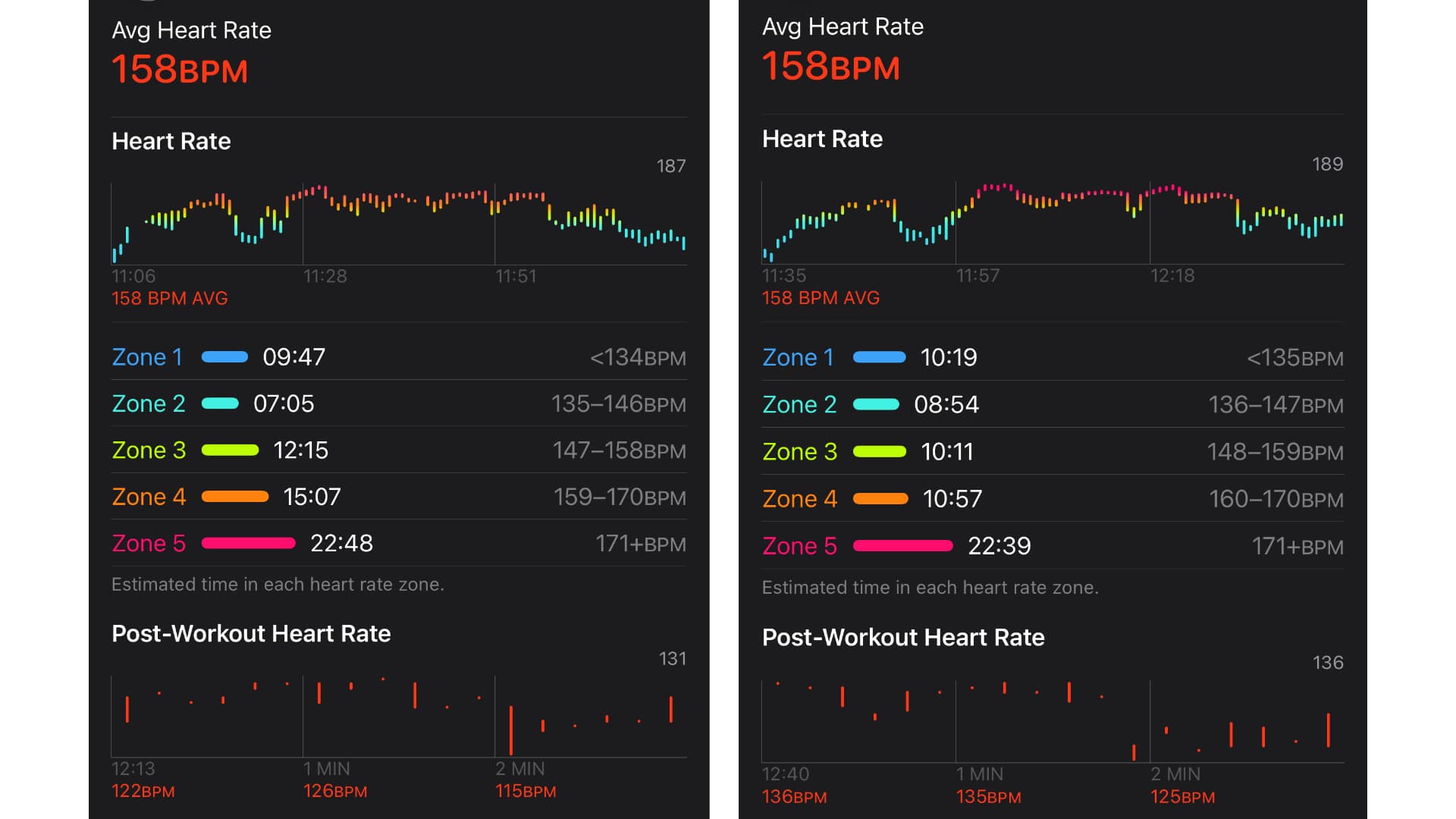
The new chip also enables the party trick that goes with the new health sensor array. Apple calls it the most accurate heart rate sensing in a wearable. What I can say is that this Watch is better at finding my heart rate and keeping the readings coming. My old Watch could go minutes without a stable reading. I have not seen those extremes on this model, although it still drops a reading from time to time, especially when I am lifting weights.
The two graphs below are from BodyPump classes I taught, a workout with a barbell. The Ultra 4 is on the left, my original Ultra on the right. Both classes averaged 158 BPM, but the Ultra 4 captures more data points per moment in time. That is why its bars span a wider range, where the old Watch often shows just a single dot.
Health features: live heart rate, live steps and a mixed-bag Readiness score
The new Watch records my heart rate roughly every five seconds, and the new Steps complication updates the step count in almost real time. That definitely came in handy during my 10,000 steps challenge.
The Readiness score is a mixed bag, frankly. It takes your sleep score, your vitals and your workouts to predict how ready you are for a physical challenge, and rates that out of 10. Mine tends to sit in the 6 to 9 range, as I definitely make sure I get my eight hours or so of sleep in. Got to be fit and healthy for all the coding ahead, after all 😉. The score only really shifts when I either:
- have a very bad night of sleep, or
- go for a run.
Fun fact: only some of the workout types in the Workout app use an optimised algorithm. The Watch will happily tell you what is going on during a run or a bike ride, but it can't actually tell much during weight lifting. So some workouts hardly do anything for the Readiness score. That somewhat breaks the illusion that this 2026 wearable can tell you exactly where you stand in terms of health.
That said, this is a really great fitness tracker in my opinion. I can take it as my only device on a long run and comfortably follow my route on the GPS, listen to music or podcasts, and see my health metrics come in live. All without the device grinding to a halt. And that is made especially powerful by the battery of the Ultra 4.
Battery life: the star of the show
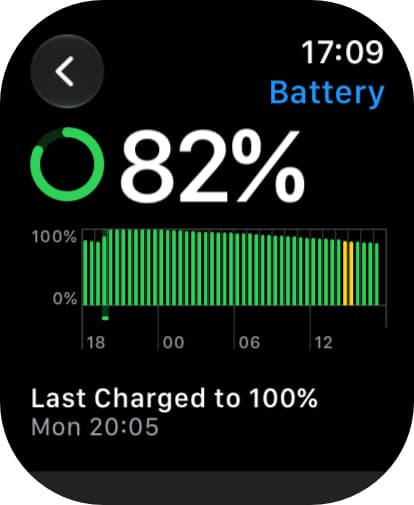
The biggest upgrade from the Apple Watch Ultra 1 to the Ultra 4 has been the battery. My old Watch was at 84% battery health. It lasted me about a day and a half, or about a day with workouts. The Ultra 4 lasts me about three days, or two days with workouts. On paper, Apple rates it at up to 50 hours, against 36 for the original Ultra.
Apple also added new extended workout modes that stretch the battery even further during exercise. I don't feel the need for them, because my workouts last an hour or two at most.
In practice it is a joy to not have to care about the battery at all. I pop the Watch on the charger while I take a shower, and barely have to think about it. Again, this is the type of upgrade I love for the Watch. Can it do things for me and deliver value, silently? And not get in my way while doing it?
To illustrate: as I write this, the Watch is at 82%, 21 hours after I last charged it to 100%.
Apple Watch Ultra bands: the ones I have tried
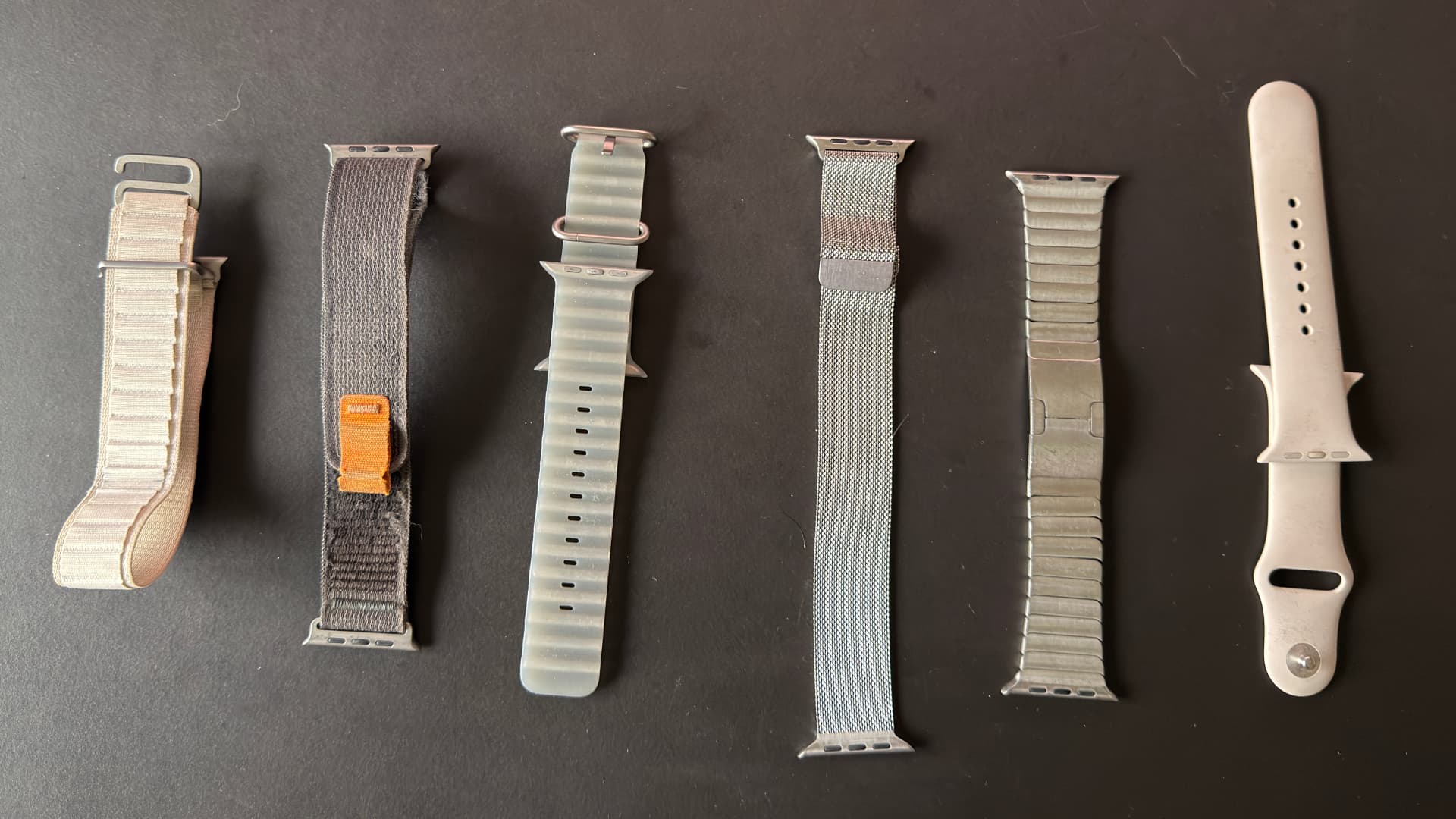
I have tried many of the bands available for the Ultra line. From left to right in the photo below: Alpine Loop, Trail Loop, Ocean Band, Milanese Loop, Link Bracelet and Sport Band.
Here are my impressions:
- Alpine Loop: very comfortable and looks nice. It has stood the test of time. The lighter colours are hard to clean.
- Trail Loop: the most comfortable of them all. I got this one with the Ultra 1, but the fabric started to tear after four years of use. Also quite hard to clean.
- Ocean Band: a comfortable band, but not quite as soft or as hidden as the other two. The loose end of the strap can stick out, which is annoying under long sleeves and especially noticeable during sleep tracking.
I will include a few other bands I have tried over the years. All of them still fit the Apple Watch Ultra.
- Milanese Loop (stainless steel): very fashionable and quite comfortable. It occasionally pulls on a hair, and the magnetic closure is definitely not as tight as the one on the titanium version.
- Link Bracelet (stainless steel): the best-looking band in my opinion. Not great for sports, but even the material mismatch with the Ultra does not bother me. I hope Apple makes a titanium version of this band one day.
- Leather Loop: looks good, but comes loose very easily. I would not use it for exercise.
- Sport Band: meh. My skin gets irritated more easily than with the Ocean Band, because there is less airflow. It looks fine and does not have that loose end sticking out.
If you are in doubt about which band to get, I would go for the Alpine Loop, or the titanium Milanese Loop if you want to dress up the Watch. It all depends on what you want to use the Watch for.
How I use the Apple Watch as a developer
I have mentioned a few times that I want the Watch to deliver value silently. I want it to offer me what I need at the moment I need it. That is exactly how I have set up my watch face and my apps.
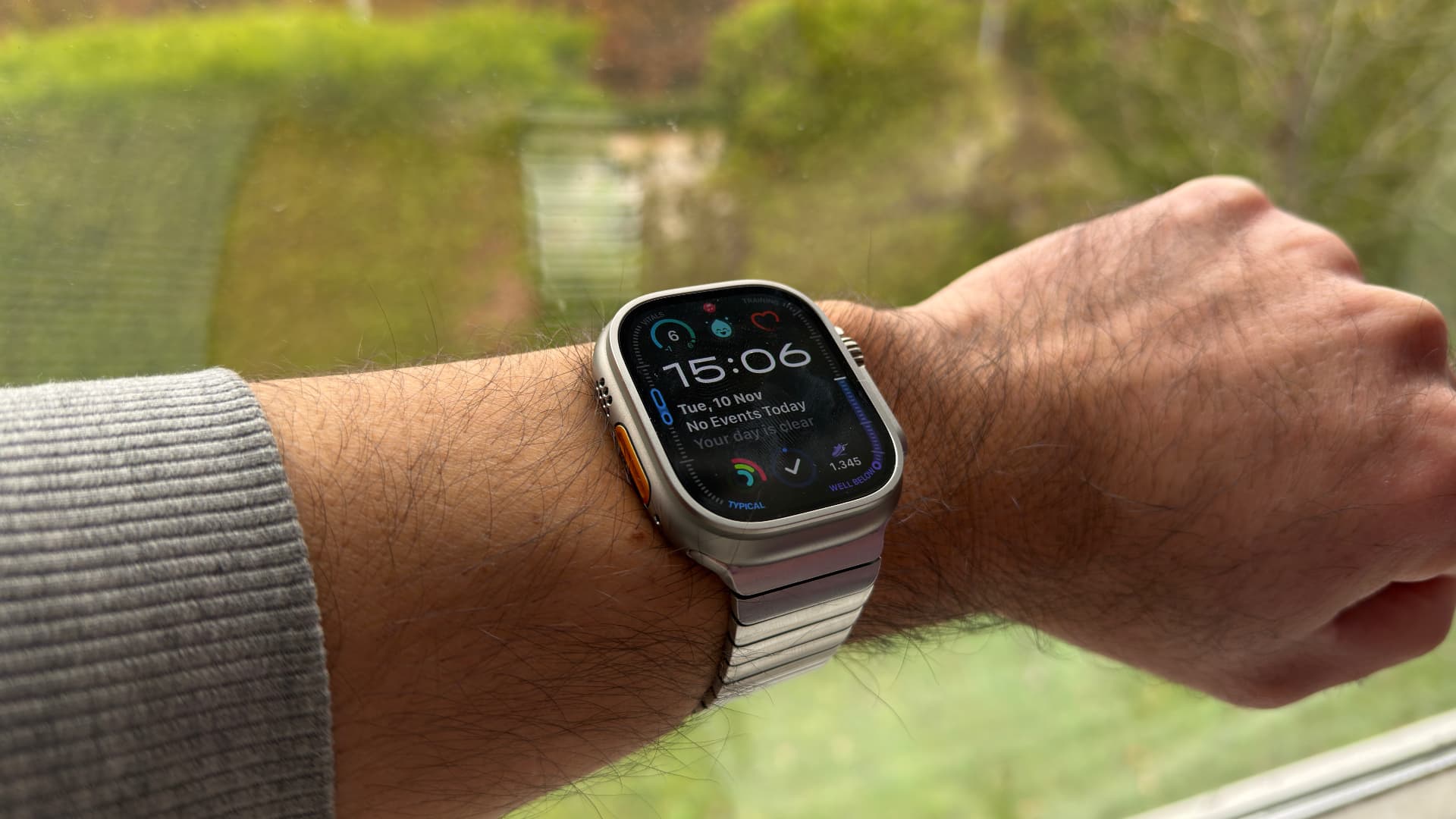
From top to bottom: the weather, Luci, my heart rate, my calendar, my activity rings, Things and my steps.
- I log my mood. I use Luci on my Apple Watch for that. Its complication shows my latest mood on the watch face, and the widget in the Smart Stack shows my average of the last seven days. Whenever I feel something strongly, I simply turn the Digital Crown to set my score and tap why I feel that way. Way easier than having to hunt for my phone.
- I use it as a remote when the Apple TV remote is out of reach.
- I keep my tasks close. I use the Things app to record my tasks for the day.
- I track my steps and let the Watch estimate my VO2 max from my exercise during the week.
- I run the music when I teach a fitness class, and check whether the sound level exceeds 90 dB.
- I get reminded to stand. I love the stand reminders, which help when I have been sitting for too long working on code.
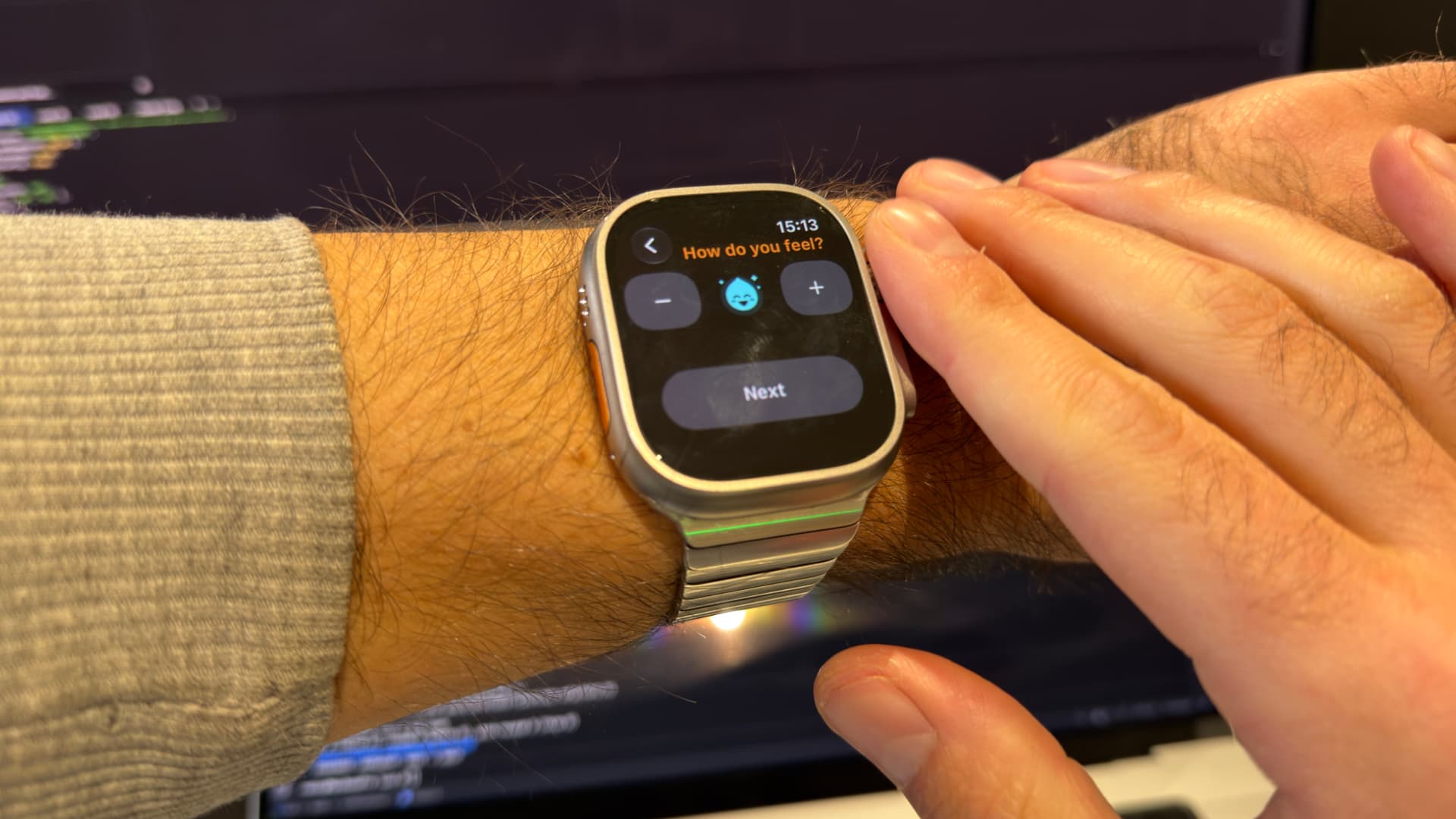
All of this is to say that as a developer I have plenty of use cases for a wrist computer. Whether this upgrade is worth it really depends on yours.
Should you upgrade to the Apple Watch Ultra 4?
Should you upgrade to the Apple Watch Ultra 4 coming from the original Ultra? If your current Watch still gets daily use, I would definitely upgrade. The new chip and the better health data make for a much more seamless experience. Not only for the health features, but also when using third-party apps, and simply in not having to think about the device quite as often.
You are less occupied by it. No more wondering whether you should charge it, hunting for the step counter to see if you made your daily steps, or opening the Heart Rate app to see your heart rate. That is a complication now too, just like the step counter.
The big upgrades in the past have always been the ones with a new chip, and this is one of them. I also love the new app launcher in watchOS. It shows a dial of the apps it thinks I want to open at that moment, and it is usually right! That alone supports the idea that this Watch is there for me in the background, delivering value.
When to skip the Ultra 4
You can skip this upgrade if your Watch already runs the latest watchOS and you don't particularly care about the new health features. The previous chip already supports sleep apnea detection and the wrist gestures, which are very nice.
Also skip it if you find that your current Watch is not delivering enough value. In that case I would first figure out whether you have enough use for a wrist computer before investing further in the product line.
What about the rumoured redesign?
Frankly, one reason I doubted upgrading myself is the rumoured new design with a new band system. I would be sad if all my bands stopped working with the next generation, because Apple found a way to use the band for even more health features or battery. But this has been rumoured for so long. Even for the Series 10, which is two years old now.
I no longer feel confident that this elusive redesign is a shoo-in. Especially with the iPhone turning 20 next year, and Apple generally focusing on one milestone upgrade per keynote. Perhaps a smaller, less intrusive wearable is more likely to happen. An Apple Ring, maybe?
Verdict: less friction, more function
As a developer, business owner and part-time fitness instructor, this Apple Watch is great for me. It delivers real value silently throughout most of the day. It lets me leave my phone at home more often. It lets me log my mood easily, see the tasks I have open for the day, and read the messages that are important to me as they come in. Less friction, more function. That is what the Watch means to me. And this new model has made a noteworthy jump in achieving just that.
Building an app for iPhone or Apple Watch? Have a look at my projects or hire me as a developer.





Interested in picking up a self-reflection routine? Try Luci from the AppStore, it's free!

Luci