Developing for iPhone Duo: what I learned adapting my app
TL;DR: The iPhone Duo is the most asymmetrical iPhone Apple has ever made. The system reserves the right side (roughly 84pt) for the tab bar and system controls, moving them to the bottom only when the inner display is held in portrait so they never get split by the hinge. The hinge area should stay free of interactive content, and the many orientations make fluid layouts non-negotiable. If your app already supports iPad or landscape, you are most of the way there.
On September 12 Apple announced two iPhones: the iPhone 18 Pro and the iPhone Duo. Arguably the regular Pro got a bit of the plain iPhone treatment. It was announced first, not last, and it was shown in daylight, whereas the Pros are usually announced in dark scenes during Apple keynotes. And Apple did it: we had a "one more thing". That kind of announcement is usually reserved for a device that is new, exciting and fresh. Most recently it was used for the Apple Watch and Vision Pro, two entirely new platforms.
These "one more thing" devices are usually not available straight away, which gives developers time to create or adapt apps for them. Today I want to tell you what I learned from developing my app for the iPhone Duo. And yes, I found many surprises. Some I loved, others I am very unsure about. Let's dig in.
It's perfectly asymmetrical
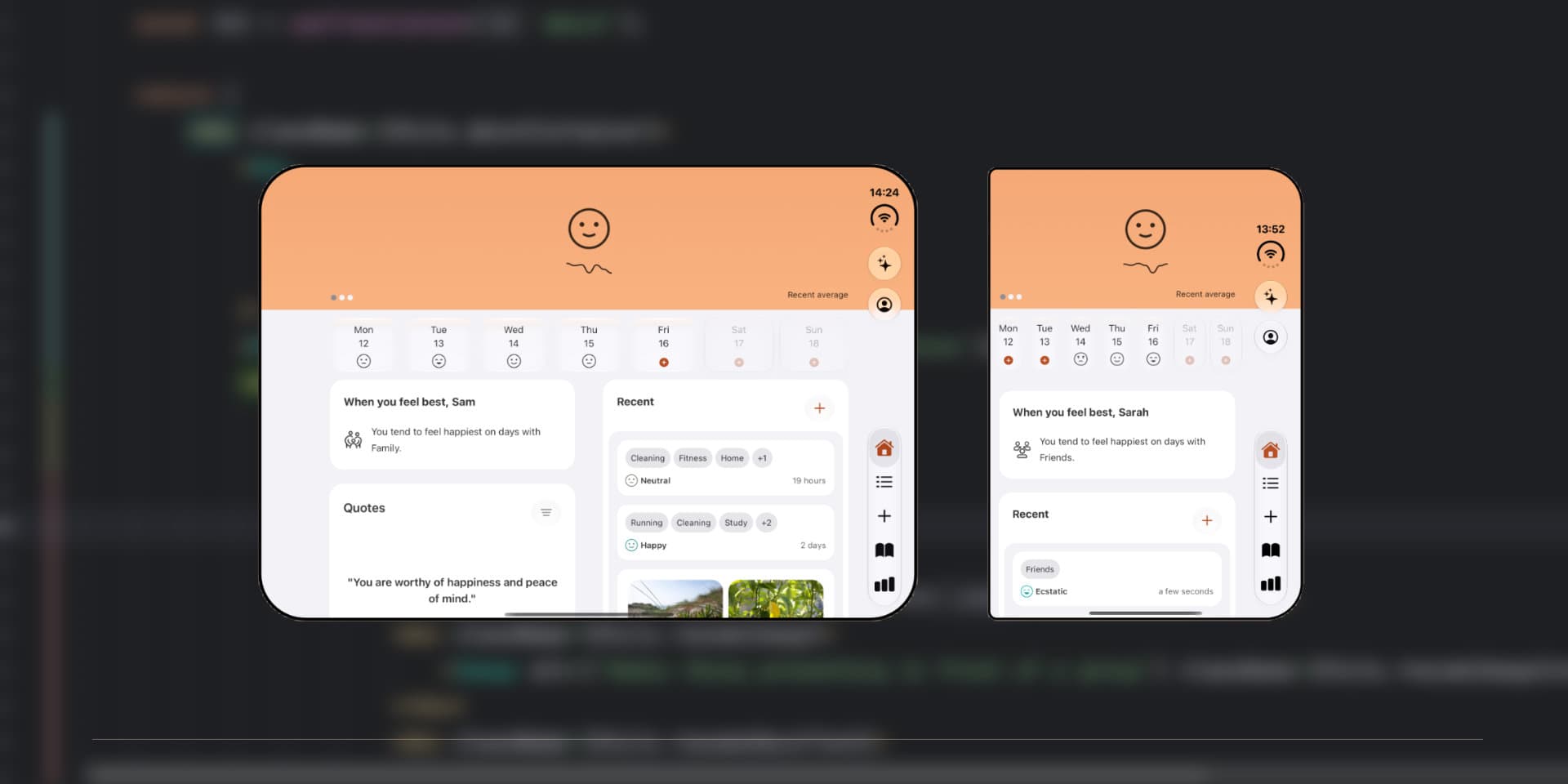
Before we begin, a quick word about the app I optimized for the iPhone Duo. It is called Luci, a mood tracker and journal. Users log their mood with a slider, tap items to say why they feel the way they do, and keep a journal with images, audio recordings and markdown text. The app also contains a lot of charts and insights, and users can rearrange the cards on both the Home Screen and the Stats Screen. With the context out of the way, let's open up the simulator.
The first thing I noticed is how asymmetrical the iPhone Duo is from the front. The left side of the device is squared off by nature of the hinge, while the right side is rounded. I am actually happy that they did not round off the left side as well just to make it symmetrical.
In the app we rely on the safe area: a set of insets that tells us how much space we need to leave free on each side of the screen for system controls.
Content bound to the left and right of the header is automatically pushed to the right.
By default, the safe area on the outer display sits on the right side, where the new tab bar and the combined system controls appear. I think this is peak Apple design. We are so used to symmetrical controls at the bottom (and at the top, for the Dynamic Island) that this does take some getting used to. But as I spent more time in the iOS simulator, I got used to it and could see how it frees up the left side to display more of my content.
Mind you, this device is short (!). It displays very few lines of my app at a glance, so having that little bit of extra space on the left is a godsend. Note that custom controls are not moved automatically, although there is an API for it.
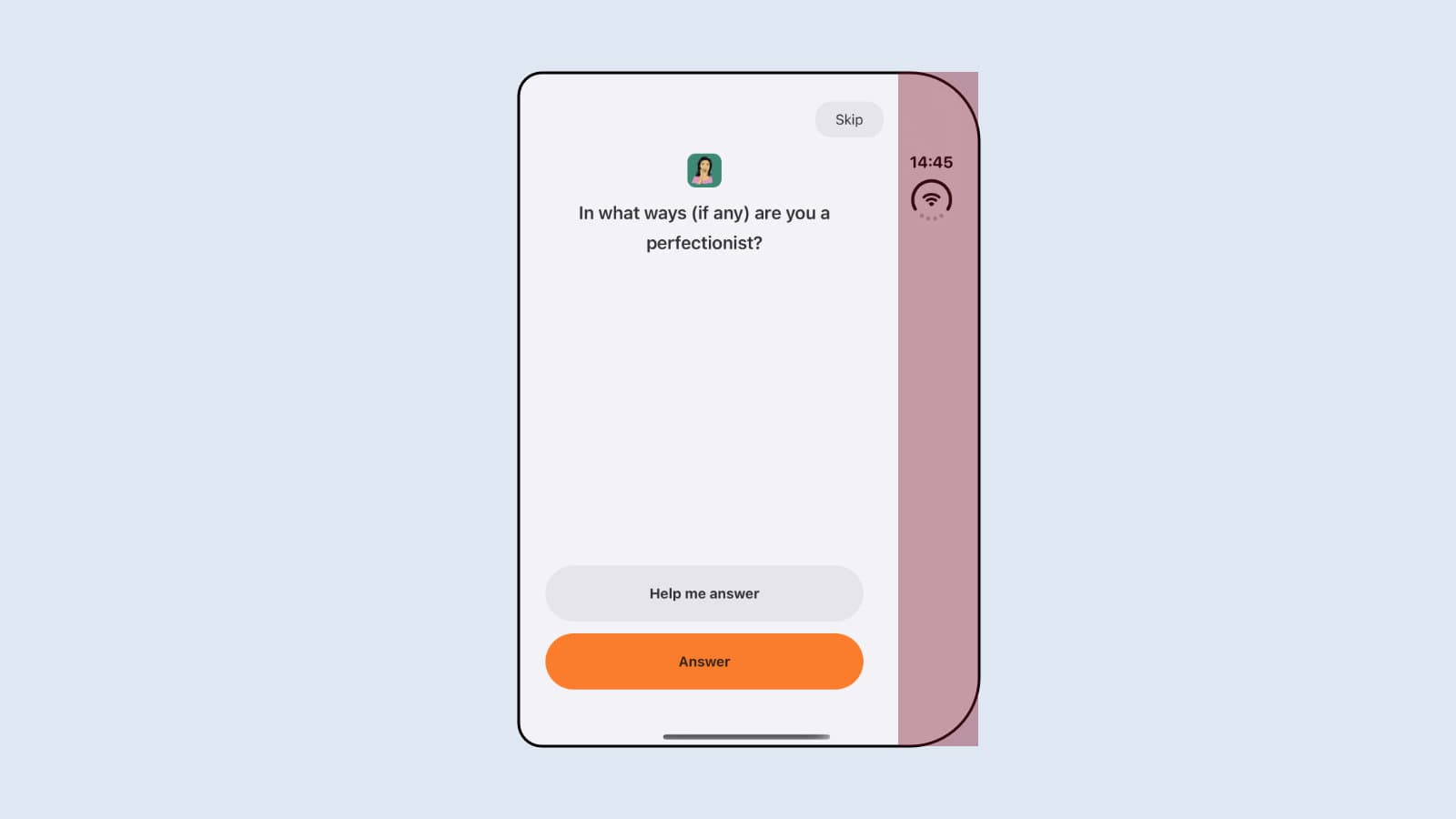
When you open up the device, you are met with perfect symmetry. All corners are now rounded, giving you what basically amounts to an iPad mini, albeit a tiny bit smaller. To my surprise, however, the device still reserves the right side for the tab controls. Frankly, this hurts the symmetry quite a bit, because the right side now has roughly 84 points reserved for controls. That raises the question: what do we do with the left side? If we use the full screen real estate, the content will visibly shift to the left.
Do we optimize for every point of the display, or do we prefer symmetry on the inner display?
I am curious what other developers are going to do with this. Apple themselves recommend using the right side only for non-interactive content, which makes sense. Letting visuals run underneath the control area can restore symmetry, but that won't make sense for every app.
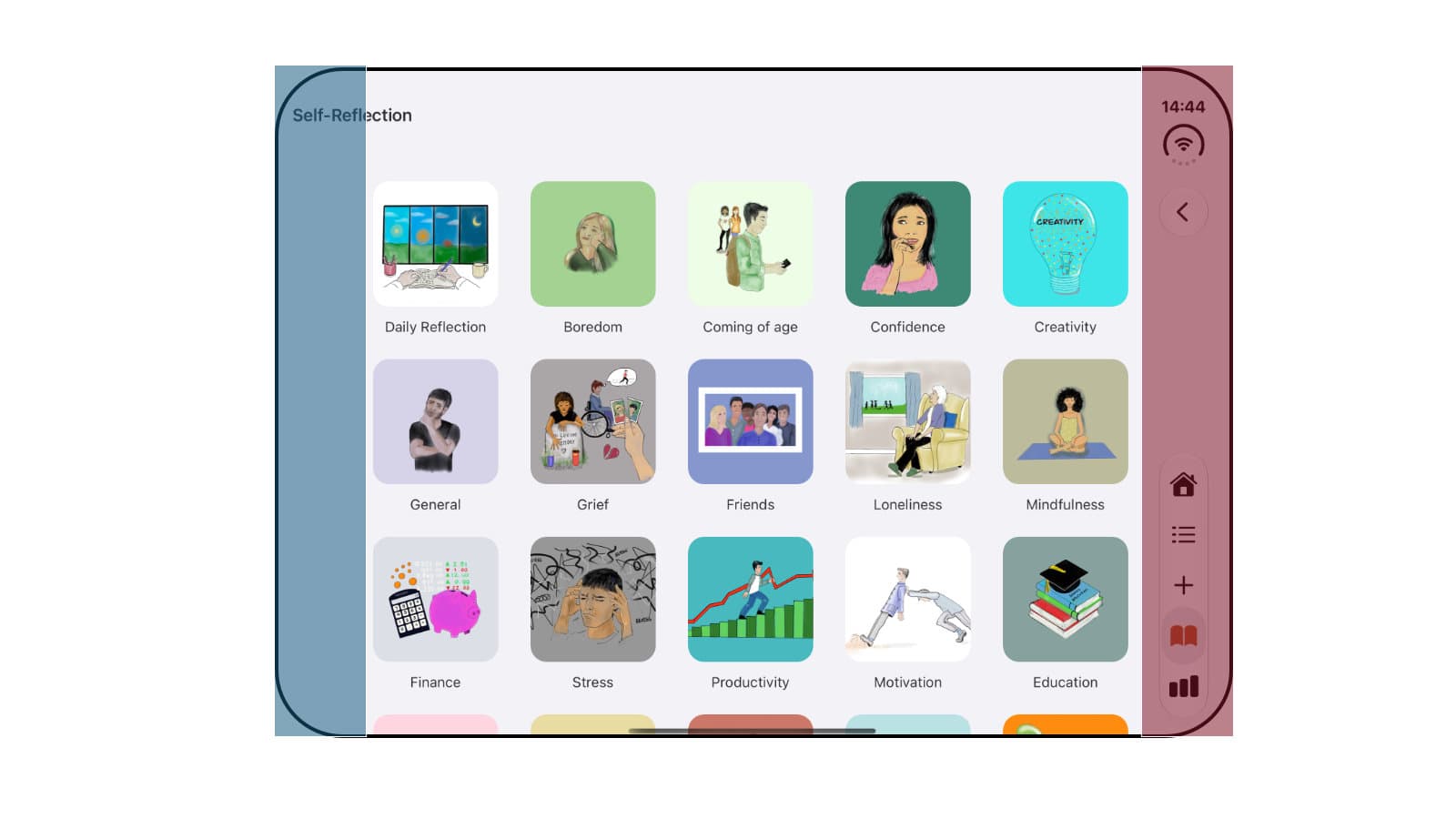
Curiously, when you rotate the opened iPhone Duo to portrait, the controls move back to the bottom. So on the inner display, Apple places the controls on the right in landscape, but at the bottom in portrait. At first that looks inconsistent, but the hinge explains it. In landscape the hinge runs vertically through the middle of the screen, so a centered bottom navigation would have to be split in two around it. In portrait the hinge runs horizontally, and the bottom edge is free again.
I think this is very smart Apple design. Splitting a group of related controls around the hinge is a polarizing decision. You can already see what that looks like on the Duo, where the keyboard splits in two to avoid the hinge. Apple sidesteps that problem for navigation entirely and goes for the option that is simply ergonomic: in both orientations, the controls stay close to your thumb.
Portrait on the inner display is also arguably the most symmetrical the Duo is going to get, and I think this view is going to be amazing for reading.
The Duo's many orientations give an app endless screen environments, making fluid app design non-negotiable.
If you build for the web, this is the same lesson responsive design taught us years ago: users expect apps to adapt to them and their devices. I wrote about one side of that in theming using CSS variables.
About the hinge
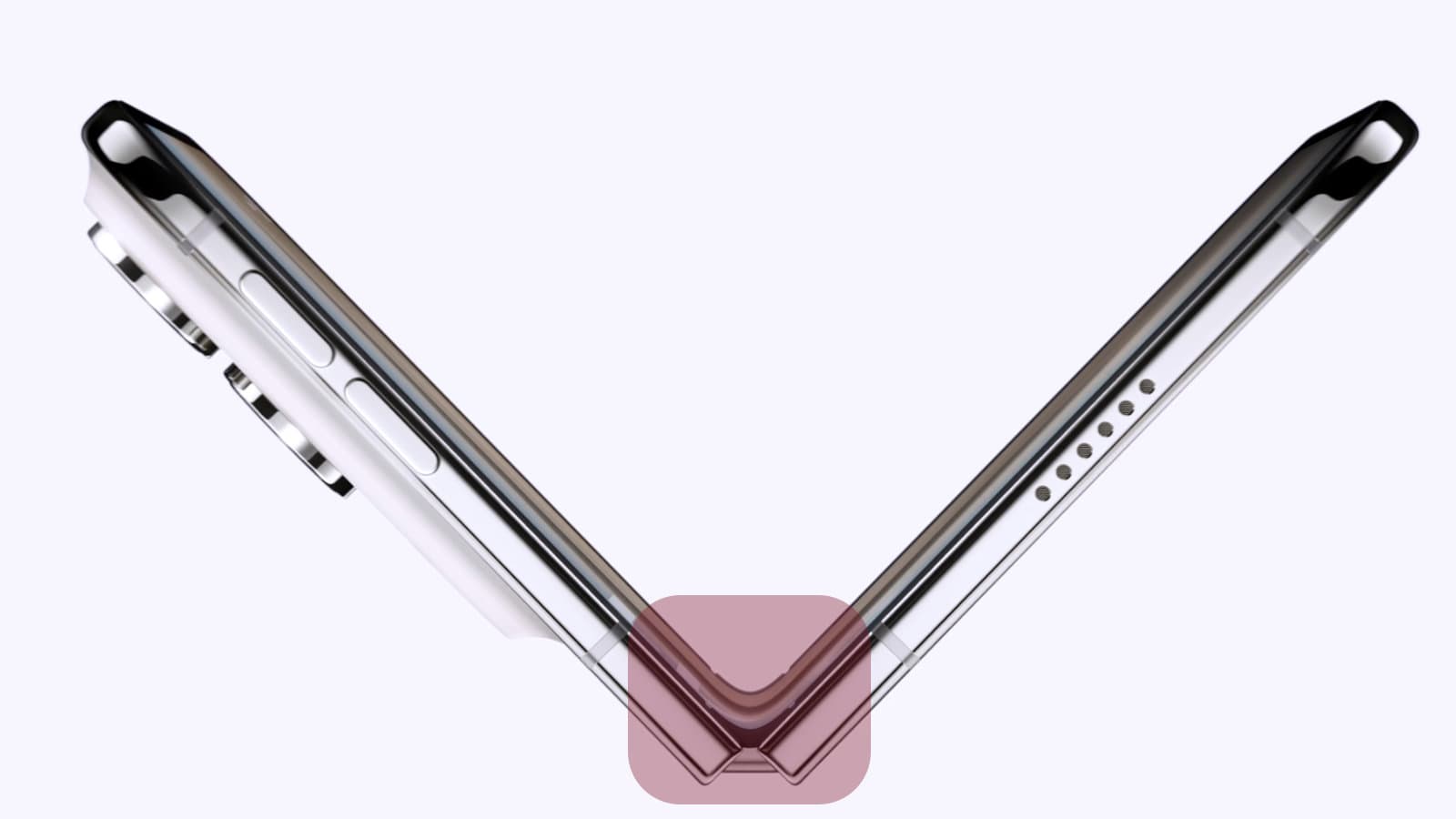
The hinge area is going to be interesting. In the simulator you can open the Duo halfway, which shows roughly where the curved hinge area will sit. I have been told that this area is hard to touch in the half-open position, so we are advised to keep interactive content away from the center of the screen. Content that cannot be interacted with, such as images and graphs, is perfectly fine to sit partly in the hinge area.
There's an API developers can use to find out whether content is in the hinge area. But also, because the tab bar sits on the right, content is shifted by 84pt, which means centered content will not technically sit in the center. I wonder if the hinge area is also roughly 84 points. Hmm.
As developers we can also request the hinge position and calculate layouts based on the angle. Netflix does this to project a reflection of the movie when it is playing on only half of the screen. Very neat!
How big is that display?
I ran the iPhone Duo next to the iPhone Pro Max at 1:1 scale. Open, the iPhone Duo is just about as wide as the iPhone Pro Max is tall. But the extra height (about half of an iPhone Pro Max) means the iPhone Duo can display a good chunk more content on the vertical axis. If you have a 6.9-inch iPhone Pro Max, hold it in landscape to get an impression of the width of the Duo.
Apps that rotate to landscape on your regular iPhone will probably look alright on the Duo out of the box.
The extra height is very welcome. I am especially excited for side-by-side multitasking on the Duo. Unfortunately I was unable to try it out in the beta of the simulator, but I think each side will be about as wide as the outer display, so I have a sense of what it will look like and how it will operate.
To get a feel for the width and height, I folded a piece of paper to the width of my iPhone Pro Max and 1.5x its height. Folded, this device is SMALL! Expanded, it's probably still smaller than the marketing material suggests, but a very nice size. I can totally see Apple releasing bigger models in the future.
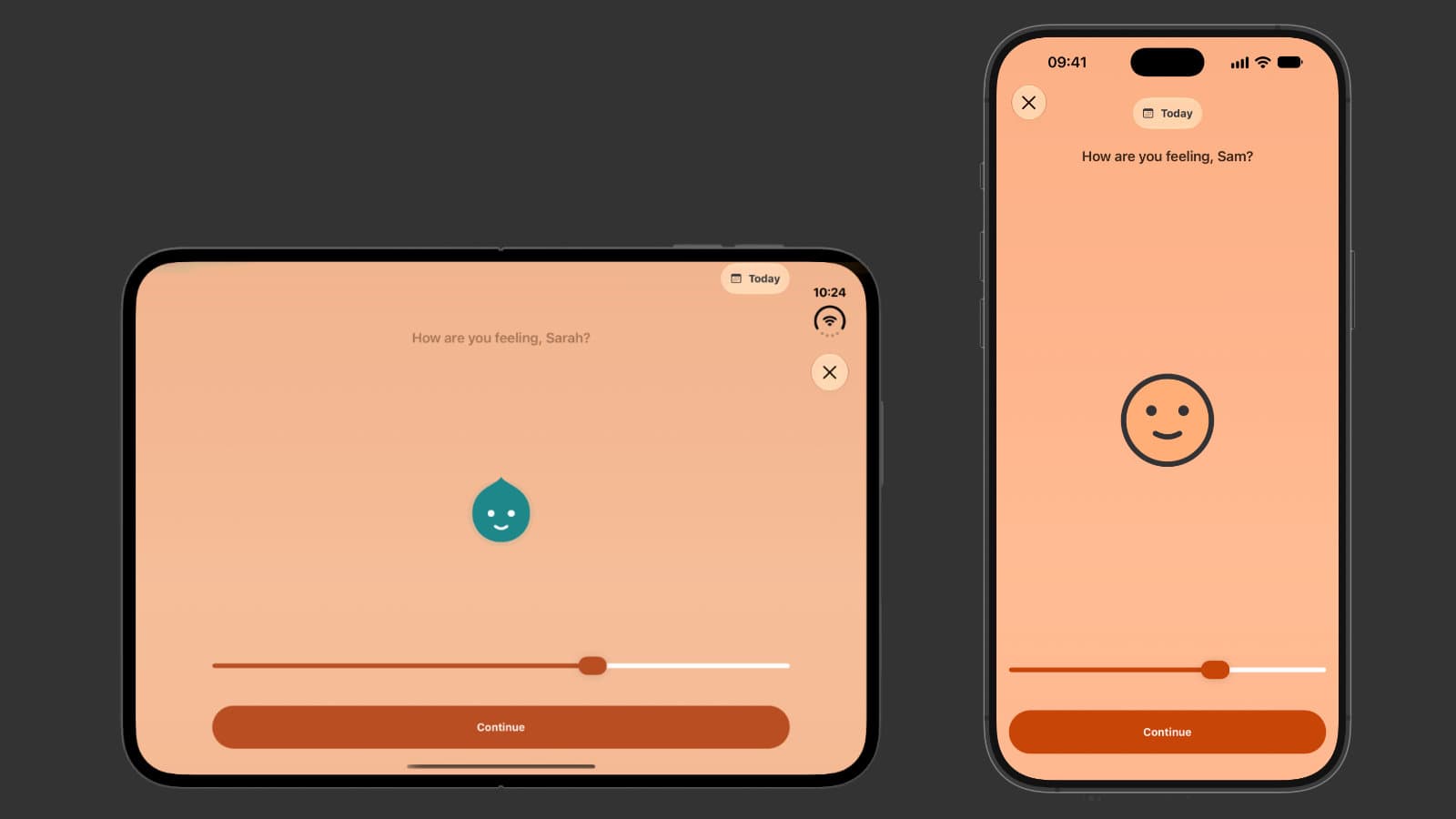
Because Luci has supported iPad from the start, it was relatively easy to adapt the app for the Duo. The layout was already responsive: it splits into two columns on a wider display, and thanks to those two columns the gap between them sits exactly where the hinge is. Most of the Duo support came for free, thanks to the heavy lifting of making the app iPad-compatible from day one.
Not everything came for free, though. The app did not respect the left and right safe areas, and not all of its controls were 100% native, so they did not automatically move out of the way of the system controls. Those two areas, the controls and the horizontal safe areas, are where most of the work went. I have some ideas to make the experience more immersive on the Duo, but I opted for safe rather than adventurous for the first version. That way users get a good experience out of the box, and more thorough testing can be done once the hardware is out.
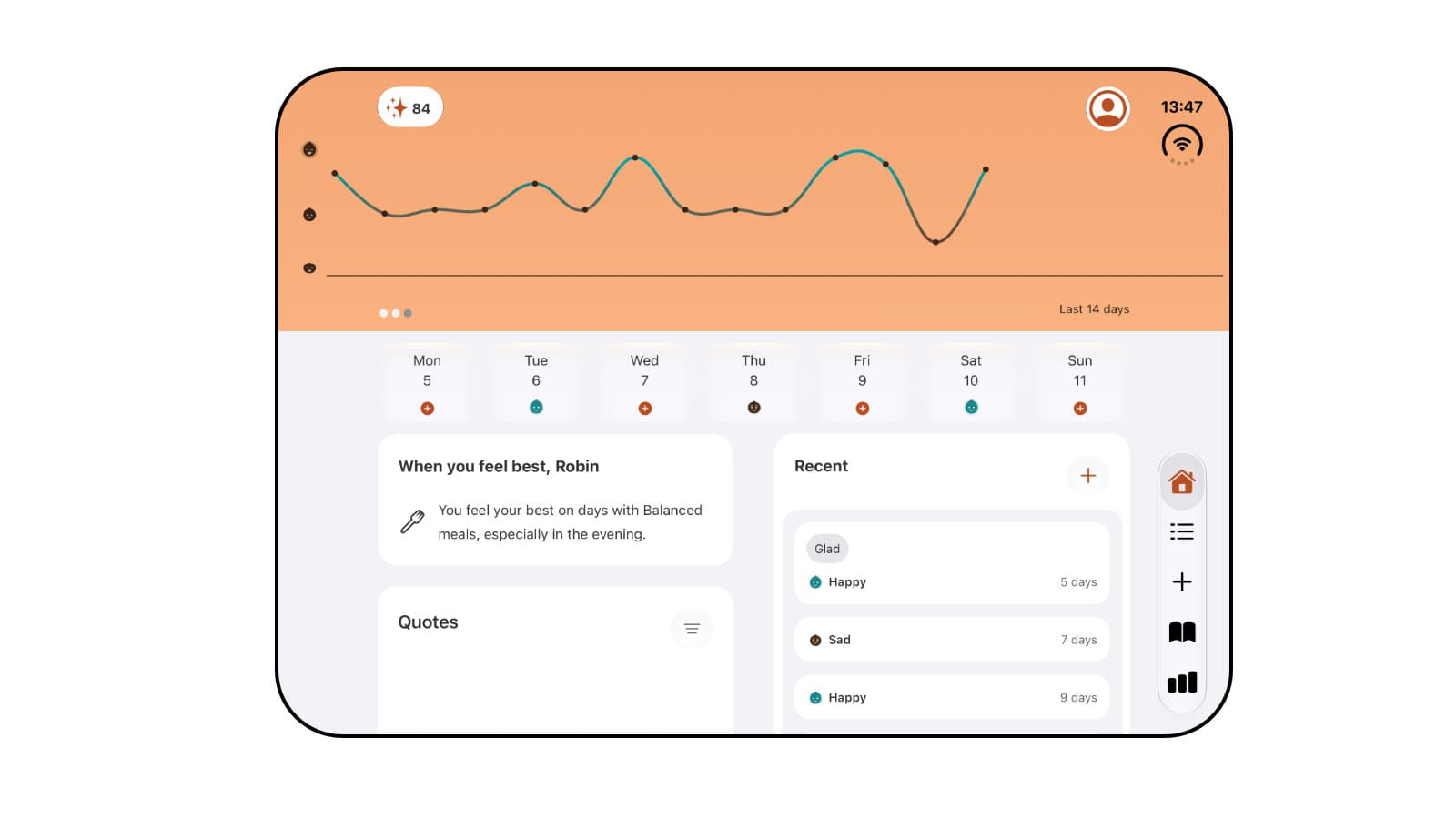
Note: this screenshot is from an early attempt at optimizing Luci for the Duo and is not representative of the final result.
Revolutionary device or just a new flavor?
The last major iPhone change was arguably the iPhone X in 2017. Back then I was in awe of it: Face ID, an all-display design and a device that felt like a generational leap. The question I have is: is the iPhone Duo Apple's iPhone X moment? Is this device the future of the iPhone, presented today as a (frankly, for most people, very expensive) preview?
I am unsure. The answer depends on the form factor. The iPhone X had zero compromises at the time. It was not hard to see that its form factor was better in every way than the iPhone 8 that launched beside it. For the Duo the question boils down to passport-style phone versus slab-style phone. Is the new form factor better than the old one? My answer would be yes, but only for some people.
Here is the best form factor per use case, in my humble opinion:
- One-handed use: slab
- Multimedia: foldable
- Multitasking: foldable
- Camera: slab
- Reading: foldable
- Calling: slab. A mixed bag, but the lower weight and the better Face ID camera tip it towards the slab.
- Gaming: unsure. The bigger display is great, but the accessories market needs to catch up and thermal throttling is untested.
To be honest, I think the compromises the Duo asks users to make are more significant. The Duo has no Face ID, no telephoto lens, (probably) slightly worse battery life, and the display uses nano-texture glass. That last one is personal preference, but I am a glossy guy myself.
Who is the iPhone Duo for?
I think the Duo deserves to be its own category of device. I can see it replacing regular phones at some point, making the old form factor the "odd" one, for camera buffs and maybe for more outdoorsy people. But I don't think it will be an instant, revolutionary transition like the iPhone X was nearly ten years ago. This transition may happen gradually.
Having only tried the phone virtually, my guess is that the Duo is probably the best iPhone you can buy today for a specific group of people: people who find themselves multitasking in boardrooms, who commute by bus or train every day, who want to simplify their digital ecosystem down to a single device, and people who are tired of the year-on-year advancements in computational photography. If you find yourself in one of these camps, I think the Duo could be the phone for you.
I also think the Duo is the perfect replacement for ageing iPhone mini users. The outer screen is compact.
Will I buy one?
I adapted Luci to be the best mood tracker on iPhone Duo it can be from day one. Frankly, there are so many interesting areas of this device to explore. But for some of them I really need the device in hand to know whether my assumptions are correct, such as the hinge or how stable the device is in its many orientations. I can say without any doubt: I definitely want one.
That said, I know I may not be the target audience. I have an iPad Pro, which I used to draw the hundreds of icons for the app. I have a MacBook Pro for compiling Xcode projects. And I have the iPhone Pro Max because I love capturing moments through photography. I am having a hard time giving up some of the best devices in their category for one that has to make compromises along the way.
But another side of me is thinking: maybe this can replace my iPad. The prospect of always having my Apple Pencil and iPhone Duo with me, as a personal note-taking device and a small vector drawing computer, is really exciting. Who knows? Maybe one or two generations from now the compromises won't feel as jarring, and the Pencil experience will have proven itself as a main note-taking device.
Based on my developer experience with the iPhone Duo, I think a lot of people are going to love it when it comes out on October 23rd. I can't wait to try it out for myself. In the meantime, you can download Luci and be ready from day one.
Building an app and want it ready for the iPhone Duo too? Have a look at my projects or hire me as a developer.





Interested in picking up a self-reflection routine? Try Luci from the AppStore, it's free!

Luci